Valet parking software
ValetGuy
Run your valet stand from one app.
Digital QR tickets, a live board for the whole team, key hooks and parking spots, staff shifts and attendance. Car owners request their car from their own phone — no paper stubs, no shouting across the lobby.
New organizations get a 7-day Pro trial (once per phone and email). Or try it offline on one device, with a built-in demo of a busy stand.
How it works
From the curb and back, in four steps.
Every car follows the same path, and everyone on the team sees where it is.
Check in
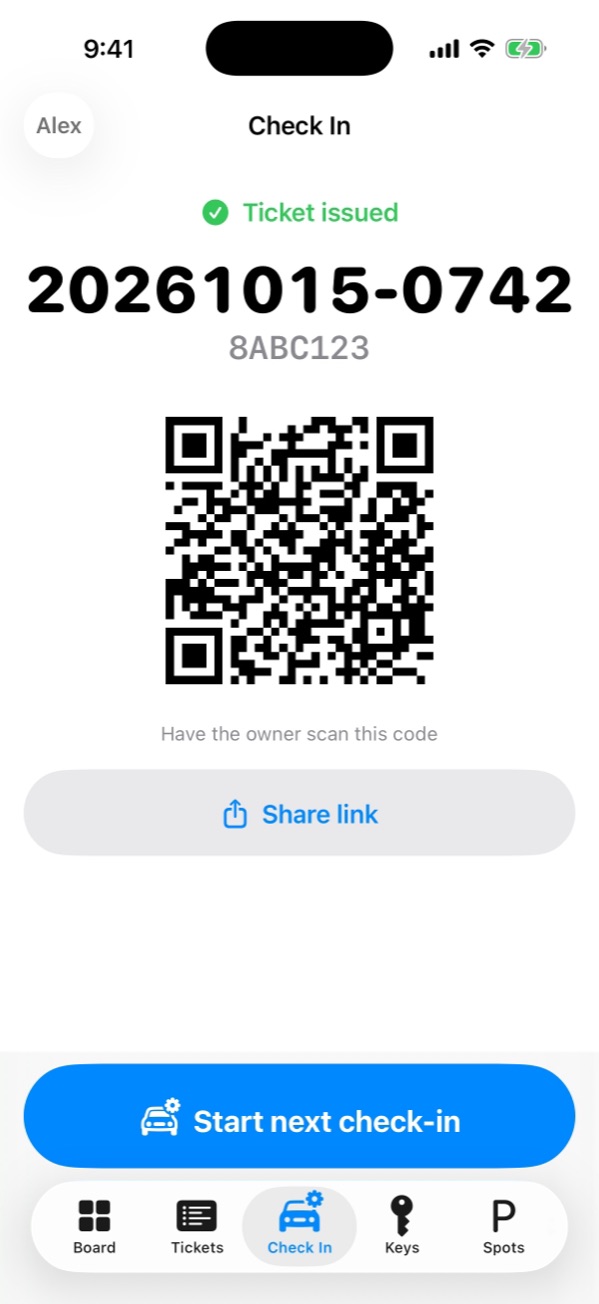
Scan the plate with the camera, then record make, color, mileage and condition photos — one step per page. The owner gets a digital ticket with a QR code.
Park
Pick the parking spot and where the key is when the car is parked. Spots and hooks in use are locked, and a spot frees up as soon as the car is brought to the curb.
Request
The owner opens the ticket page on their phone, sees the car's status live and requests it with one tap. The team sees it on the board right away.
Hand back
Check the pickup code — or the owner's name and PIN — before handing over the keys, so nobody else can claim the car.
Features
Everything the stand needs, nothing it doesn't.
A live board for the team
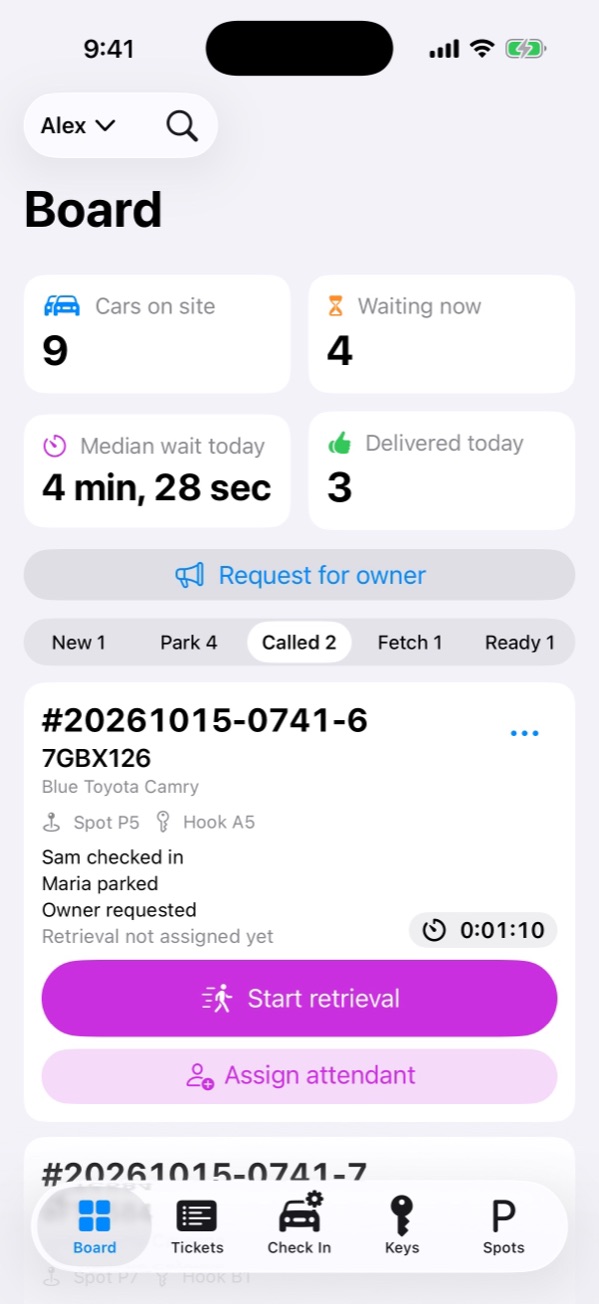
Checking in, parked, requested, retrieving, ready: every car at a glance.
- Assign jobs, seeing who is parking or checking in
- Updates appear on every phone at once
Owners request from their phone
No app for car owners — the ticket is a web page.
- Live status and one-tap request
- Tied to the owner's phone; a pickup code at handover
Keys and parking spots
Named key hooks and spots for each site.
- Chosen when the car is parked
- Locked while a car uses them
Shifts and attendance
Clock in by site; moving to another site needs a manager's approval.
- Acting managers and overtime reminders
- Owners can clock staff in and out
- Export to Excel, PDF or CSV
Many sites, many countries
Each site keeps its own local time, currency and plate format.
- One organization across time zones
- Rename, pause or remove sites
- Five app languages
Private by design
Car owners' data is kept only as long as it's needed.
- Personal data deleted 7 days after handover
- No customer photos left on staff phones
Made for where you work
Local plates, local time, local language.
Set up a site and ValetGuy uses that country's plate format, currency and time zone. Your team can use the app in English, Traditional Chinese, Japanese, Korean or Spanish.
Who does what
Roles match how a valet company really runs.
- Owner
- Plans, sites, staff, backups and disputes, across every site
- Manager
- Runs the stand on shift: approvals, handovers, disputes
- Valet
- Checks cars in, parks and retrieves them
- Car owner
- Follows the car and requests it from a web page
Plans
Two monthly plans for the whole organization.
The owner subscribes in the app, and the plan covers everyone in the organization. Prices are shown in the app in your local currency.
For a single stand
1 site · up to 5 staff
- Digital QR tickets and plate scanning
- Car owners request their car on the web
- Live board for the whole team
- Condition photos (deleted after 7 days)
- Key hooks and parking spots
- Owner check by phone, or name and PIN
- Shifts and attendance (not included)
- Managers and acting managers (not included)
- Notifications (not included)
- Disputes and photo export (not included)
- Daily automatic backups (not included)
For a growing valet company
3 sites · unlimited staff
- Everything in Basic
- Shifts and attendance, with exports
- Managers and acting managers
- Notifications and push alerts
- Disputes and watermarked photo export
- Daily automatic backups to your cloud folder
More than 3 sites? Email wecare@goodsvalu.com about a business contract. Subscriptions are billed to your Apple Account and renew automatically unless cancelled at least 24 hours before the end of the period.
Privacy
Car owners' data, handled with care.
The valet company decides how ValetGuy is used; we store and process the data for them and use it for nothing else. Read the privacy policy.
Photos, plate, phone number and name are deleted 7 days after the car is handed back — or right away if the car owner asks the valet company.
The rest of the ticket is deleted 30 days after handover, once it is in the backup.
Staff phones keep no customer photos after the car leaves, and none go into device backups.
Photos leave the app only for a disputed ticket, exported by the owner, watermarked and logged.
Questions
Common questions
Do car owners need to install the app?
No. The owner gets a digital ticket that opens as a web page on their phone. From there they follow the car's status and request it when they're ready to leave.
Which devices does ValetGuy run on?
iPhone and iPad. Each account is signed in on one device at a time; signing in on another device signs out the old one.
Can I try it before subscribing?
Yes, three ways. A new organization gets 7 days of Pro, once per phone and email. Trial mode, on the sign-in screen, runs every step on one device with no account or internet: nothing is uploaded, so there are no staff invites or owner QR links, and at hand-over the pickup code is the last 4 digits of the ticket number. And the automatic demo plays a busy stand by itself.
How do staff sign in?
With a one-time code sent to their email — there is no password to share or forget. The owner shares an invite code once, and staff tap Join with invite code.
What happens if the subscription ends?
Data is kept, and cars already on site can still be requested and handed back. New cars can't be checked in until the organization subscribes again.
How do I cancel?
On the iPhone that bought the plan, go to Settings › Apple Account › Subscriptions. Deleting an account in the app does not cancel an App Store subscription.
Ready to retire the paper stubs?
Questions about ValetGuy for your hotel, restaurant or hospital? We usually reply within two business days.